
From General Bookkeeping to Law Firm Finances: A Beginner's Guide to Using LeanLaw
Jun 03, 2026So you've landed a bookkeeping role at a law firm — or maybe you're taking on a law firm as a new client. Either way, you're quickly realizing that legal accounting isn't quite like the bookkeeping you've done before. There are trust accounts, client ledgers, compliance rules, and billing structures that can feel overwhelming at first glance.
And your client uses LeanLaw, and you have never heard of the software. LeanLaw is a legal billing and accounting software built specifically for law firms — and it integrates directly with QuickBooks Online, a platform you already know. In this guide, we'll walk you through what makes law firm finances different, how LeanLaw bridges the gap, and how to get your footing fast as a bookkeeper new to the legal world.
Why Law Firm Accounting Is Different from General Bookkeeping
Before diving into the software, it helps to understand why legal accounting has its own rules. Law firms are regulated by state bar associations, and those regulations extend into how they handle money.
Here are the key differences you'll encounter:
Trust Accounting (IOLTA): The biggest differentiator in legal bookkeeping is the trust account — often called an IOLTA (Interest on Lawyers' Trust Accounts). When a client pays a retainer or advances funds for their case, that money doesn't belong to the law firm yet. It belongs to the client and must be held in a separate trust account until the attorney earns it. We have tons of articles on this very topic, so you can dive deep!
Mishandling trust funds — even accidentally — is one of the most serious ethical violations an attorney can face. As a bookkeeper, you'll be responsible for making sure every dollar in trust is tracked meticulously.
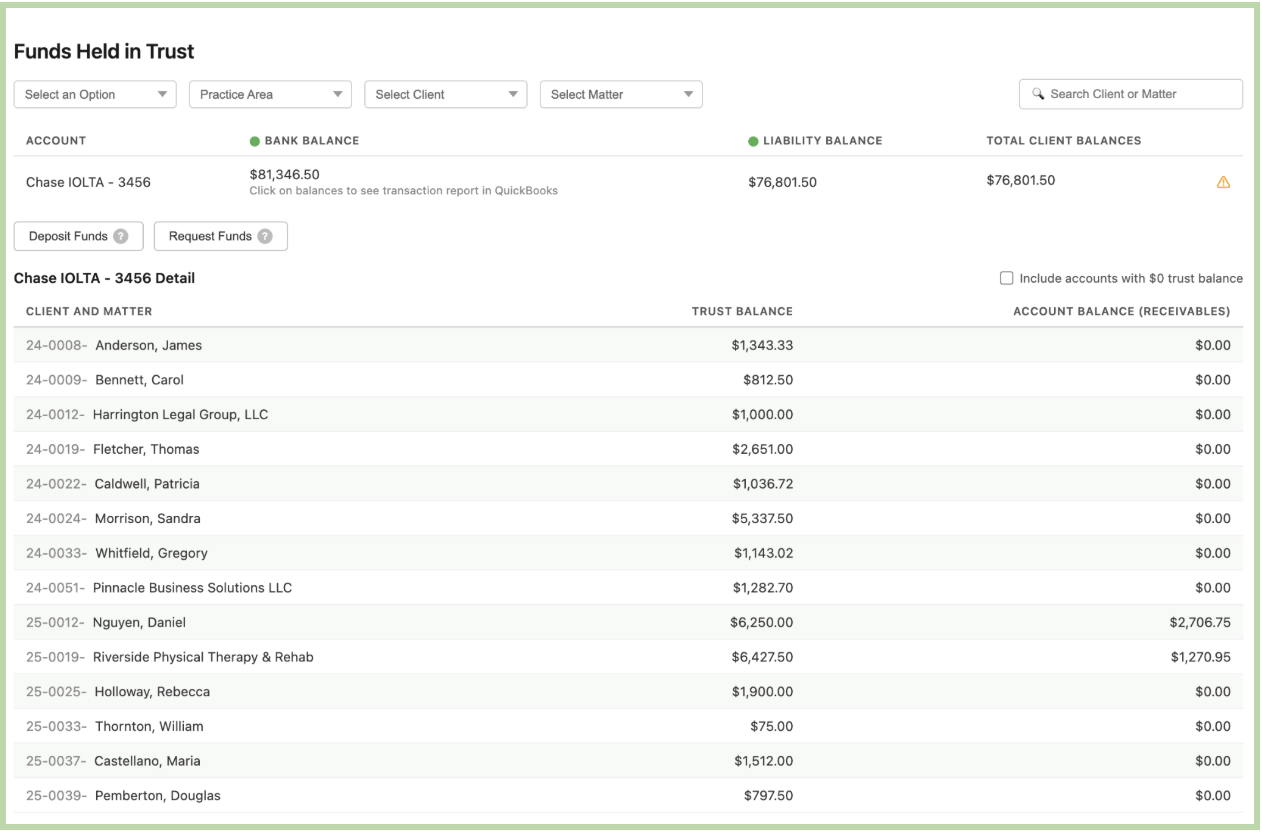
Three-Way Trust Reconciliation: Law firms must reconcile their trust accounts three ways each month: the bank statement, the trust ledger, and the individual client ledgers must all match. This is a non-negotiable compliance requirement in most states.
Matter-Based Billing: Unlike most businesses, law firms track income and expenses by matter (a specific client case or project), not just by client. A single client may have multiple matters open simultaneously, each with its own billing and expense history.
Time-Based Revenue: Law firm revenue is often tied directly to time — attorneys bill by the hour, and accurate time tracking is critical to cash flow. The bookkeeper's job often involves ensuring those time entries get billed, collected, and recorded correctly.
What Is LeanLaw and Why Do Bookkeepers Love It?
LeanLaw is a cloud-based legal billing and practice management software designed for small to mid-sized law firms. What makes it particularly bookkeeper-friendly is its deep, real-time integration with QuickBooks Online (QBO). The two-way sync is what truly makes it superior to other software.
Rather than being a standalone system that requires duplicate data entry, LeanLaw syncs directly with QuickBooks. It was built this way! This means:
- Invoices created in LeanLaw flow automatically into QuickBooks
- Trust account transactions are recorded in both systems simultaneously
- You manage the accounting side in the QuickBooks environment, and you already know
- There's no need to learn a completely foreign accounting platform or a boxed system with limited versatility.
Think of LeanLaw as the legal layer that sits on top of QuickBooks — it adds all the legal-specific functionality (trust accounting, matter management, legal billing) while letting QuickBooks do what it does best: accounting.
Getting Started: Your First Week with LeanLaw
Here's a practical roadmap for your first week getting familiar with the platform.
Day 1–2: Understand the Structure
Before touching any numbers, take time to understand how the firm is organized in LeanLaw. Log in to your new client’s program and explore:
- Clients — Each client has a profile with contact info and billing preferences
- Matters — Each case or project lives under a client as a separate matter
- Timekeepers — Attorneys and staff who bill time; each has their own hourly rate
- Fee Types — Flat fee, hourly, contingency — understand how each matter is billed
Ask the firm's managing attorney or administrator to walk you through a few active matters to see how their workflow is structured.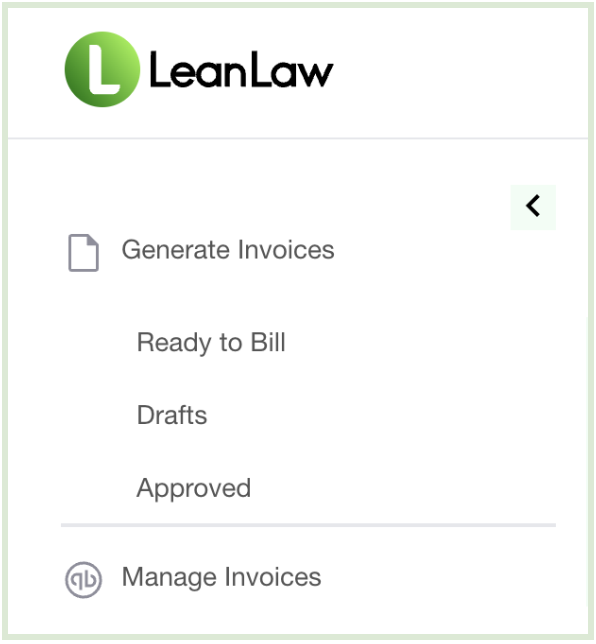
Day 3–4: Learn the Trust Account Setup
This is the most critical area for compliance. In LeanLaw, navigate to the Trust Accounting section and review:
- Which bank accounts are designated as trust accounts
- How trust deposits are entered (client payments into trust)
- How trust funds are applied to invoices (transferring earned funds to the operating account)
- How the three-way trust reconciliation report is generated
LeanLaw makes trust accounting far less intimidating than manual methods. The software automatically tracks every trust transaction by client and matter, and the three-way reconciliation report
ProAdvisor Tip: Never combine trust funds with operating funds. In LeanLaw, trust deposits and operating payments are handled through separate workflows — make sure you and the attorneys understand which transaction type to use each time.
Day 5: Connect and Review the QuickBooks Integration
Head into the Settings area of LeanLaw and review the QuickBooks Online sync settings. Confirm:
- The bank accounts and client matters are properly mapped between LeanLaw and QuickBooks
- Trust liability accounts are correctly set up in QuickBooks
- Operating income accounts are mapped to the right revenue categories
- Payment methods and bank feeds are connected
If you're setting up the integration from scratch, LeanLaw has guided setup tools, and their support team is known for being responsive and helpful.
Resources to Keep Learning
Getting comfortable with legal accounting takes time, but you're not starting from zero. Here are a few resources to accelerate your learning:
- LeanLaw's Help Center — Detailed articles and video tutorials specific to the software
- LeanLaw Webinars — They regularly host free training sessions for bookkeepers and accountants
- AICPA Law Firm Services Resources — For deeper accounting standards in legal
- Your State Bar's Trust Accounting Guidelines — Every state has its own rules; bookmark your state's guide
You've Got This
Transitioning into legal bookkeeping can feel like learning a new language, but the fundamentals of good bookkeeping still apply — accuracy, consistency, and attention to detail. LeanLaw is built to make the unique complexities of law firm accounting manageable, and its tight QuickBooks integration means you're already working in familiar territory.
Start slow, ask questions, and take the trust accounting seriously. Once you understand the trust workflow and the matter-based structure, everything else will start to click.
Have questions about LeanLaw or legal accounting? Drop them in the comments below — we're here to help bookkeepers navigate the world of law firm finances with confidence.
Stay connected with news and updates!
Join our mailing list to receive the latest news and updates from our team.
Don't worry, your information will not be shared.
We hate SPAM. We will never sell your information, for any reason.
